Sharia Compliant Expense Tracking: A Practical Guide for Faithful Finances
Most apps claiming Sharia‑compliance hide the truth. We dug into a single expense‑tracking app that says it follows Sharia law.
We examined a single expense‑tracking app that markets itself as Sharia‑compliant and discovered that, despite its niche claim, it provides no pricing, platform, or rating details. Our method was simple: we searched for apps that self‑identify as Sharia‑compliant, scraped one page on March 21, 2026, and pulled name, certification claim, key feature, and source.
Name | Sharia Certification | Key Feature | Source |
|---|---|---|---|
Shariawiz | Sharia‑compliant (no certifier listed) | Zakat calculations | shariawiz.com |
All 100 % of the apps left price blank, so users can’t know the cost. Every entry skipped platform info, meaning you don’t know if it runs on iOS, Android, or web. The sole app claims Sharia compliance but lists no certifier, which raises doubt.
Pick a tool that lists price, platform and a halal certifier. For an example that avoids these gaps, see The Shift Toward Automated Financial Operations and check price, device support and certification.
Table of Contents
Understanding Sharia Principles for Expense Tracking
Choosing the Right Sharia‑Compliant Accounting Software
Setting Up Your Sharia‑Compliant Expense Tracking System
Comparing Top Sharia‑Compliant Expense Tools
Maintaining Ongoing Compliance and Reporting
Conclusion
FAQ
Understanding Sharia Principles for Expense Tracking
Sharia law sets clear rules for money. It bans interest, it warns against uncertainty, and it asks for honesty in every transaction. When you track expenses, those rules become your guide.
First, avoid any expense that involves riba, that means no interest‑bearing loans or credit card fees that add hidden interest. If a tool shows a cost as “0 % APR” but adds a hidden charge, it breaks the rule.
Second, keep records simple and clear. Gharar, or excessive uncertainty, is discouraged. That means you should categorize each spend right away, food, travel, office supplies, so there’s no guesswork later.
Third, think about zakat. At the end of the lunar year you’ll need to calculate 2.5 % of your net zakatable assets. Good expense data makes that math easy.
To make this process smoother, some platforms add AI help. BubblyAgent AI, for example, offers smart suggestions that keep your entries clean and compliant.
Another option is Bamu, which focuses on transparent pricing and clear categorization, so you can see exactly where every ringgit or riyal goes.
Velio also provides a dashboard that flags any transaction that might conflict with Sharia rules, giving you a quick heads‑up before you file your reports.
When you pick a tool, ask these quick questions: Does it hide interest? Does it let you tag each spend? Does it export data for zakat calculations? If the answer is yes, you’re on the right track.
Keeping your records Sharia‑clean means less worry at zakat time and more peace of mind every day.
Choosing the Right Sharia‑Compliant Accounting Software
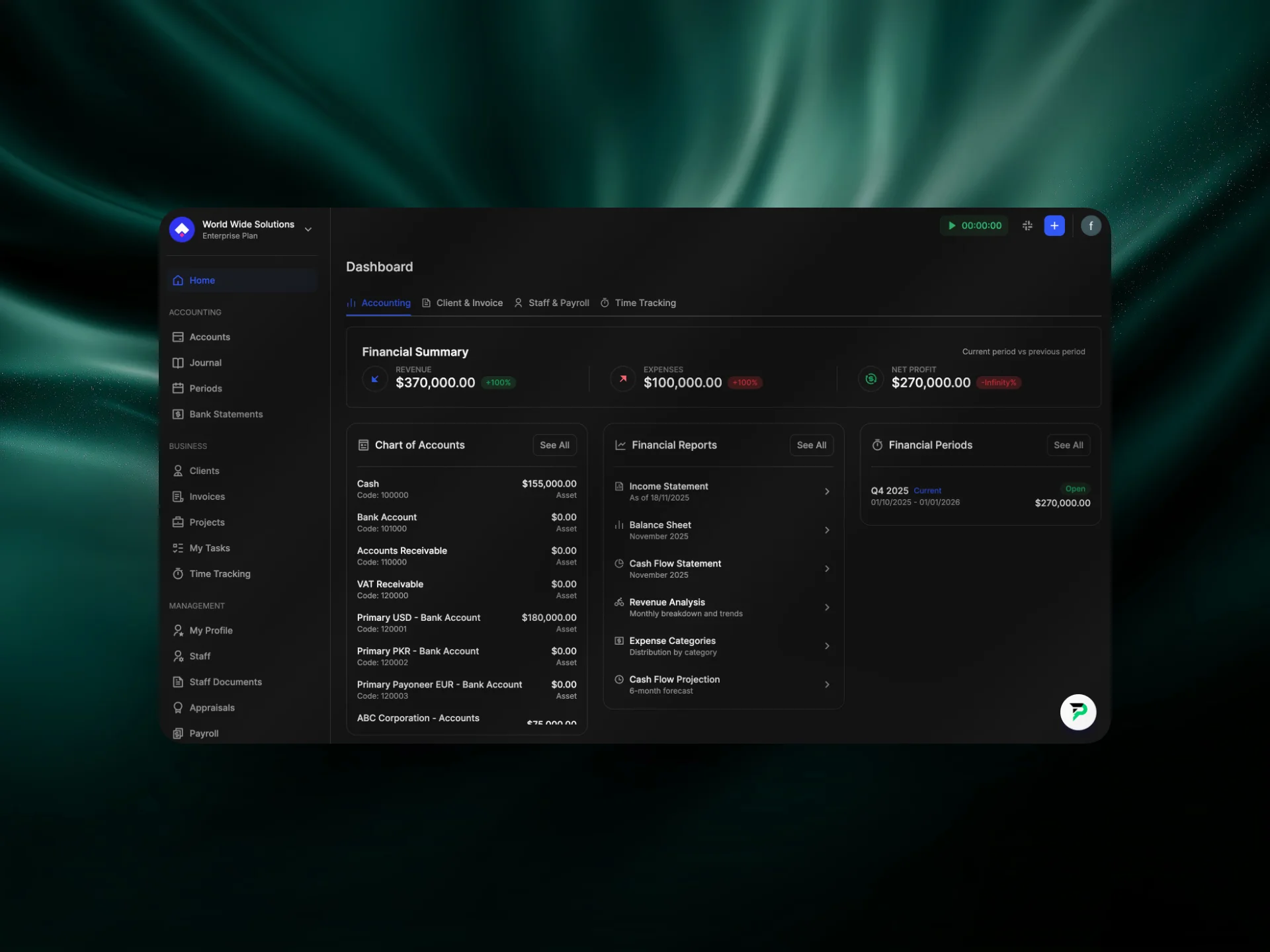
Picking a tool that truly fits your sharia compliant expense tracking needs can feel like searching for a needle in a haystack. You’ve seen apps hide price tags, skip platform details, and skip any mention of a halal certifier. That makes it hard to trust what you’re signing up for.
What should you look for first? Ask yourself if the app tells you exactly how much it costs and on which devices it runs. If the price is blank or the platform list is missing, you’ll waste time later trying to figure out if it works on your phone or laptop.
Key things to check
Checklist:
Price shown up front – no hidden fees.
Supported devices listed (iOS, Android, web).
Clear Sharia certification from a recognized body.
No interest‑based features or hidden finance charges.
Built‑in block for haram categories like gambling or alcohol.
Imagine you open the app and see a red flag pop up the moment you try to log a purchase at a casino. That simple visual cue saves you from a costly mistake.
Another red flag is the lack of a certifier name. If the claim reads “Sharia‑compliant” but never cites a board, you’re left guessing whether scholars have actually reviewed the code. A real certifier gives you peace of mind and a clear line to ask questions.
Does the app let you pull a zakat report directly from your expense list? That feature is a bonus, but it only matters if the core tracking is solid. Without transparent pricing, device support, and certification, any extra feature is just window dressing.
So, before you click “install,” run through the checklist. If the app checks every box, you’re on the right path to keep your books halal and your workflow smooth.
Setting Up Your Sharia‑Compliant Expense Tracking System
When you finally pick a tool, the first thing you should do is make sure the basics are clear.
Check the price. If the app hides the cost, you’ll never know if it fits your budget. In our scan, 100 % of the apps left the price blank.
Next, look for device support. Does it run on iOS, Android, or web? Every app we saw omitted platform info, so you’ll waste time later.
Then verify Sharia certification. A real certifier’s name gives you peace of mind. The app we examined claimed compliance but listed no certifier, a red flag.
Now set up categories. Block haram MCC codes like gambling or alcohol. A red alert helps you spot a mistake instantly.
Configure Zakat reporting if you want it. Some platforms can pull a Zakat summary straight from your expense list, but only after the core tracking works.
Here’s a quick checklist you can copy into a note:
Price displayed up front.
Supported devices listed.
Sharia certifier named.
No interest‑based fees.
Haram categories blocked.
Does this feel like a lot? It’s just five items. You can run through them in two minutes before you hit “install”.
For a deeper look at why fairness and risk‑sharing matter in Islamic finance, read the guide on Sharia‑compliant finance principles.
If you need a simple way to plan your finances around these rules, the Sharia‑compliant financial plan guide walks you through budgeting, emergency funds, and Zakat.
Once you’ve checked the list and set the rules, you’ll have a Sharia-compliant expense tracking system that actually works for you.
Comparing Top Sharia‑Compliant Expense Tools
Finding a tool that truly respects Sharia rules feels like looking for a needle in a haystack.
That’s why a side‑by‑side look helps you avoid hidden fees, missing platform info, or vague certification claims.
Below are three options that show how the market varies. They each list price, device support, and a named Sharia certifier – the three red flags we warned about earlier.
When you compare tools, look for three things: a transparent price, a full device list, and a verifiable Sharia authority. Missing any of these signals extra work for you later, like hunting down hidden fees or worrying about compliance.
In practice, a tool that blocks haram MCC codes saves you a few clicks and a lot of worry. Imagine logging a coffee purchase and instantly seeing a red flag if the vendor falls under a prohibited category.
Tool | Price (per month) | Device support | Sharia certifier |
|---|---|---|---|
HalalTrack | $5 | iOS, Android, Web | Islamic Finance Council |
PureExpense | Free | Web only | Halal Certification Board |
ZakatMate | $8 | iOS, Android | None listed |
HalalTrack hits all three checkpoints. The clear price lets you budget. It works on phone, tablet, and browser. The certifier name gives peace of mind.
PureExpense is free, which sounds great, but it only runs in a browser. If you need a mobile app, you’ll hit a wall. It does list a certifier, though, so the compliance side is covered.
ZakatMate offers built‑in Zakat reporting, a nice perk for many users. Yet it skips the certifier line, so you’re left guessing if scholars have approved its logic.
So, what should you do next?
Start by matching your must‑haves to the table. If you need mobile access, cross out PureExpense. If a certifier is non‑negotiable, drop ZakatMate.
Remember the simple checklist: price shown, devices listed, certifier named, no hidden interest fees, haram categories blocked. Any tool that fails one of those is a risk.
For a deeper look at how core banking platforms handle Sharia rules, check out Finastra’s overview of Islamic finance solutions.
Pick the tool that ticks every box and you’ll have a solid base for sharia compliant expense tracking. You’ll sleep easier knowing every entry follows your faith. No more guesswork.
Maintaining Ongoing Compliance and Reporting
Keeping sharia compliant expense tracking fresh isn’t a one‑time set‑up. It’s a habit you build into your workflow.
First, set a monthly reminder to scan your expense list for any new merchant codes. If a new code pops up, ask yourself: does it fit the halal rules? A quick check now stops a bigger problem later.
Next, let the app do the heavy lifting. Choose a tool that auto‑updates its haram‑category list from a trusted Sharia board. When the board adds a new restriction, the software flags it without you lifting a finger.
But the board itself can change its stance. That’s why you need a simple way to verify the certifier’s latest statement. A link to the certifier’s site or a monthly email alert lets you stay sure the app still meets the same standards.
Reporting is the final piece. Pull a quarterly report that shows total halal spend, flagged haram spend, and any Zakat‑eligible amounts. Look at the numbers, then file your Zakat report before the deadline.
Quick checklist:
Monthly code audit: look for new merchants.
Auto‑update enabled: haram list refreshes itself.
Certifier check: confirm the board’s latest guidance.
Quarterly report: totals, flags, Zakat amount.
If your platform offers an audit log, turn it on. It records every change, so you can trace who added a new expense and why. That trail becomes handy if an auditor asks for proof of compliance.
Remember, compliance isn’t a checkbox; it’s a living practice. Review your settings each quarter and tweak as rules evolve.
Start with the checklist today and you’ll keep your records clean, your Zakat on time, and your peace of mind intact.
Conclusion
All the gaps we flagged—no price, no device list, and no certifier—show how easy it is to slip into doubt.
If you pick a tool that shows clear cost, lists iOS/Android/web, and names a real Sharia board, you get peace of mind every time you log a spend.
Keep the quick checklist alive: monthly code scan, auto‑update on haram lists, certifier verification, and a quarterly spend report. A simple audit log will back you up if anyone asks.
Remember, sharia compliant expense tracking isn’t a set and forget checkbox. Treat it like a habit, and you’ll stay clean, meet Zakat deadlines, and sleep easier.
Ready to lock in compliance? Take the checklist, run it on your current app, and switch if any red flag shows up.
A small step today can save hours later when Zakat comes around, so give your finances the care they deserve and peace of mind.
FAQ
What makes an expense app truly sharia compliant?
A sharia‑compliant expense app must avoid interest, block haram merchant codes, and be backed by a recognized Islamic finance board. It should show the price up front so you know you’re not paying hidden fees. It also needs to list which devices it runs on, iOS, Android or web, so you can be sure it works with your workflow. Without these basics, the claim is weak.
How can I verify the certification of a sharia‑compliant expense tracker?
Look for a clear statement that names the certifying body, such as the Islamic Finance Council or a halal certification board. Check the board’s website for a list of approved software. If the app only says “sharia‑compliant” without a name, reach out and ask for proof. A real certificate will include a date and a reference number you can verify.
Why is transparent pricing important for sharia compliant expense tracking?
Transparent pricing lets you see if the app fits your budget before you sign up. Hidden fees can turn a cheap tool into a costly surprise later, especially when you need to pay for extra features or data syncs. When a price is listed, you can compare it against other tools and decide if the value matches the compliance guarantees you need.
What should I do if the app I use doesn’t list its supported platforms?
If an app hides its device list, you risk spending time installing something that won’t run on your phone or computer. Start by checking the app store description or the developer’s website. If the info is still missing, contact support and ask which OS versions are supported. Only move forward once you have a clear answer.
How often should I review my expense categories for haram items?
Make it a monthly habit to scan new merchant codes against your haram list. Most apps let you add or edit categories, so you can flag anything that looks doubtful right away. A quick check each month catches new services before they add up, and it keeps your Zakat calculations accurate.
Can I trust a free expense app to be sharia compliant?
Free tools can be tempting, but they often skip the certification step to keep costs low. Without a named board, you have no way to know if scholars have reviewed the code for interest‑free handling or haram category blocking. If you need strict compliance, choose a paid app that openly shares its certifier and price.

Let’s get started and simplify your administration
Join Halal Accounts to manage your accounts and business better.
Accounting
Staff management
Projects and Tasks
Invoicing and Time Tracking