Cloud Accounting for Small Businesses: Benefits, Features & Setup Guide
Managing finances is one of the biggest challenges for small businesses. From tracking expenses to handling invoices and payroll, traditional accounting methods can quickly become time-consuming and inefficient.
This is where cloud accounting comes in.
In 2026, more small businesses are moving to cloud-based accounting systems to simplify operations, improve accuracy, and gain real-time financial insights. If you are still relying on manual processes or outdated software, now is the time to upgrade.
This guide will walk you through the benefits, key features, and how to set up cloud accounting for your business.
What Is Cloud Accounting?
Cloud accounting refers to accounting software that runs on remote servers instead of being installed on a local computer.
This means:
You can access your financial data from anywhere
Your data is stored securely online
Updates and backups happen automatically
All you need is an internet connection to manage your business finances in real time.
Why Small Businesses Are Switching to Cloud Accounting
Small businesses need flexible and scalable solutions. Cloud accounting offers several advantages over traditional systems.
1. Accessibility from Anywhere
With cloud accounting, you are no longer tied to a single device.
Whether you are in the office, at home, or traveling, you can:
Check financial reports
Send invoices
Monitor transactions
This flexibility is especially useful for remote teams and growing businesses.
2. Real-Time Financial Insights
One of the biggest benefits is real-time data.
Instead of waiting for monthly reports, you can instantly:
Track income and expenses
Monitor cash flow
Analyze performance
This helps you make faster and more informed decisions.
3. Reduced Manual Work
Cloud systems automate many repetitive tasks such as:
Data entry
Invoice generation
Payment tracking
This reduces errors and saves valuable time that you can invest in growing your business.
4. Better Collaboration
Cloud accounting allows multiple users to access the system simultaneously.
Your team, accountant, or financial advisor can:
View data
Update records
Generate reports
All without needing to share files manually.
5. Secure Data Storage
Security is a major concern for any business.
Cloud platforms provide:
Encrypted data storage
Regular backups
Secure access controls
This ensures your financial information is protected at all times.
Key Features to Look For
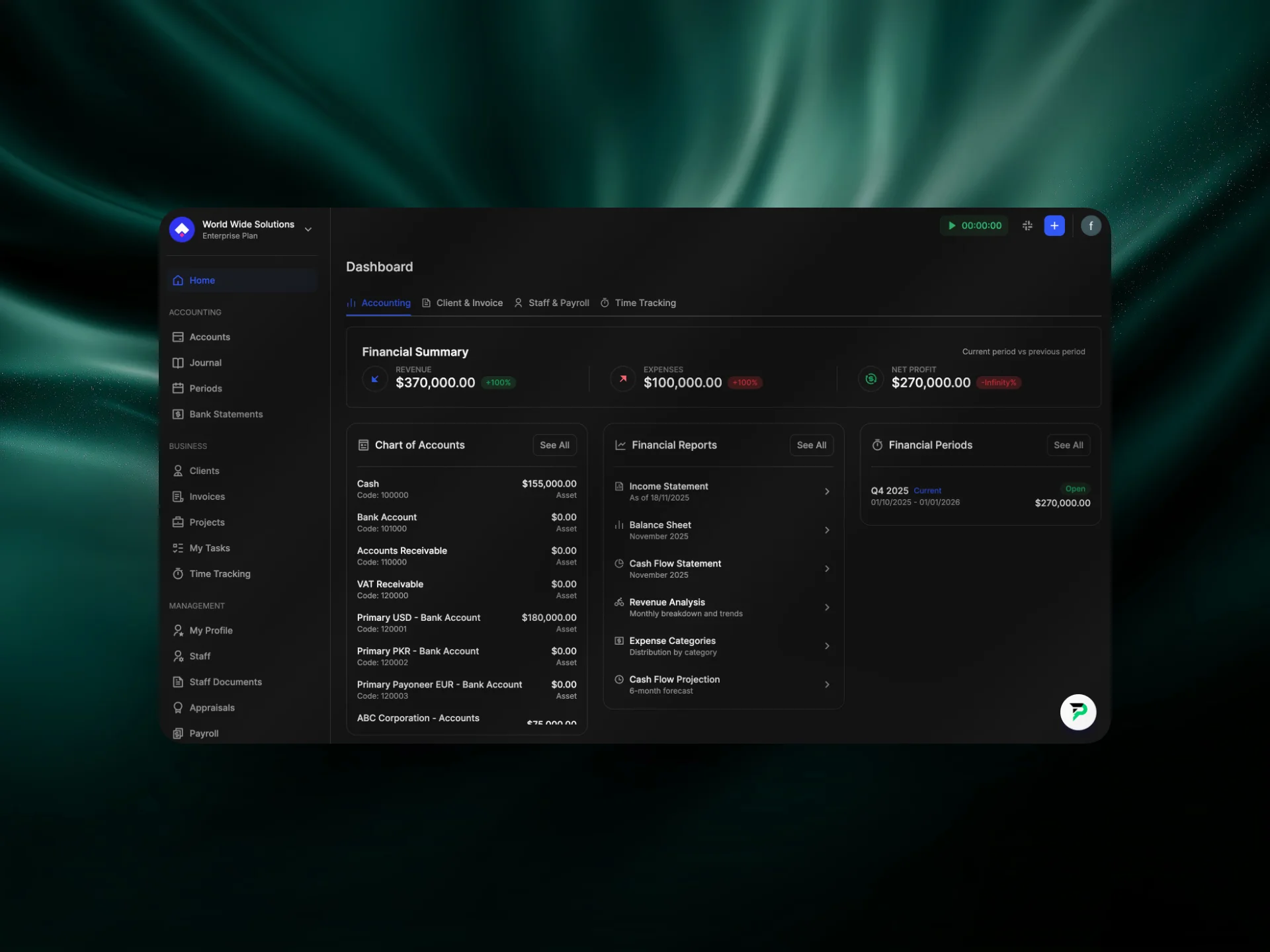
When choosing a cloud accounting solution, it’s important to select one that covers all aspects of your business operations.
1. Accounting and Financial Management
A strong system should handle:
Accounts and journals
Financial statements
Expense tracking
This forms the core of your accounting process.
2. Invoicing and Payment Tracking
Efficient invoicing is essential for maintaining cash flow.
Look for features like:
Custom invoice creation
Automated payment reminders
Payment gateway integration
This ensures timely payments and better financial control.
3. Payroll and Staff Management
Managing employees becomes easier with integrated tools.
You should be able to:
Process payroll
Track salaries and appraisals
Manage staff records
This is especially useful for growing teams.
4. Time Tracking and Project Management
For service-based businesses, tracking time and projects is crucial.
A good system will help you:
Monitor working hours
Manage tasks and deadlines
Track project progress
This improves productivity and accountability.
5. Reporting and Analytics
Detailed reports give you insights into your business performance.
Make sure your system provides:
Real-time reports
Profit and loss statements
Financial summaries
These insights help you plan and scale effectively.
How to Set Up Cloud Accounting
Setting up cloud accounting is simpler than most people think. Here’s a step-by-step approach:
Step 1: Choose the Right Platform
Select a cloud accounting solution that fits your business size and needs.
Step 2: Create Your Account
Sign up and set up your business profile.
Step 3: Configure Financial Settings
Add your accounts, currencies, and basic financial structure.
Step 4: Import or Add Data
Upload existing financial data or start fresh.
Step 5: Set Up Invoicing and Payroll
Customize invoices and configure payroll settings if needed.
Step 6: Invite Your Team
Give access to team members or accountants.
Step 7: Start Tracking and Managing
Begin using the system for daily financial operations.
Why Cloud Accounting Matters in 2026
The shift towards digital tools is accelerating. Businesses that adopt cloud solutions early gain a clear advantage.
Cloud accounting helps you:
Save time
Reduce costs
Improve accuracy
Scale efficiently
For small businesses, this can make a significant difference in long-term growth.
Final Thoughts
Cloud accounting is no longer a luxury—it is a necessity for modern small businesses. It simplifies financial management, improves visibility, and allows you to focus on what truly matters: growing your business.
Choosing the right platform ensures that all your operations—from accounting to payroll and project management—run smoothly in one place.
If you are looking for a complete solution that combines efficiency, scalability, and ease of use, Halal Accounts is the way forward.

Let’s get started and simplify your administration
Join Halal Accounts to manage your accounts and business better.
Accounting
Staff management
Projects and Tasks
Invoicing and Time Tracking